TypeNova
Why I built it
Long Markdown notes are easy to write and hard to navigate. Most knowledge tools build their graph from whole files, so to see how ideas relate you end up splitting everything into many tiny notes. I wanted the opposite: keep a document as long as it needs to be and still see how its parts connect.
TypeNova is the result. It is a desktop editor that treats each Markdown heading as a node, so the structure of a document, and the links between sections, become something you can look at and move around in.
What it does
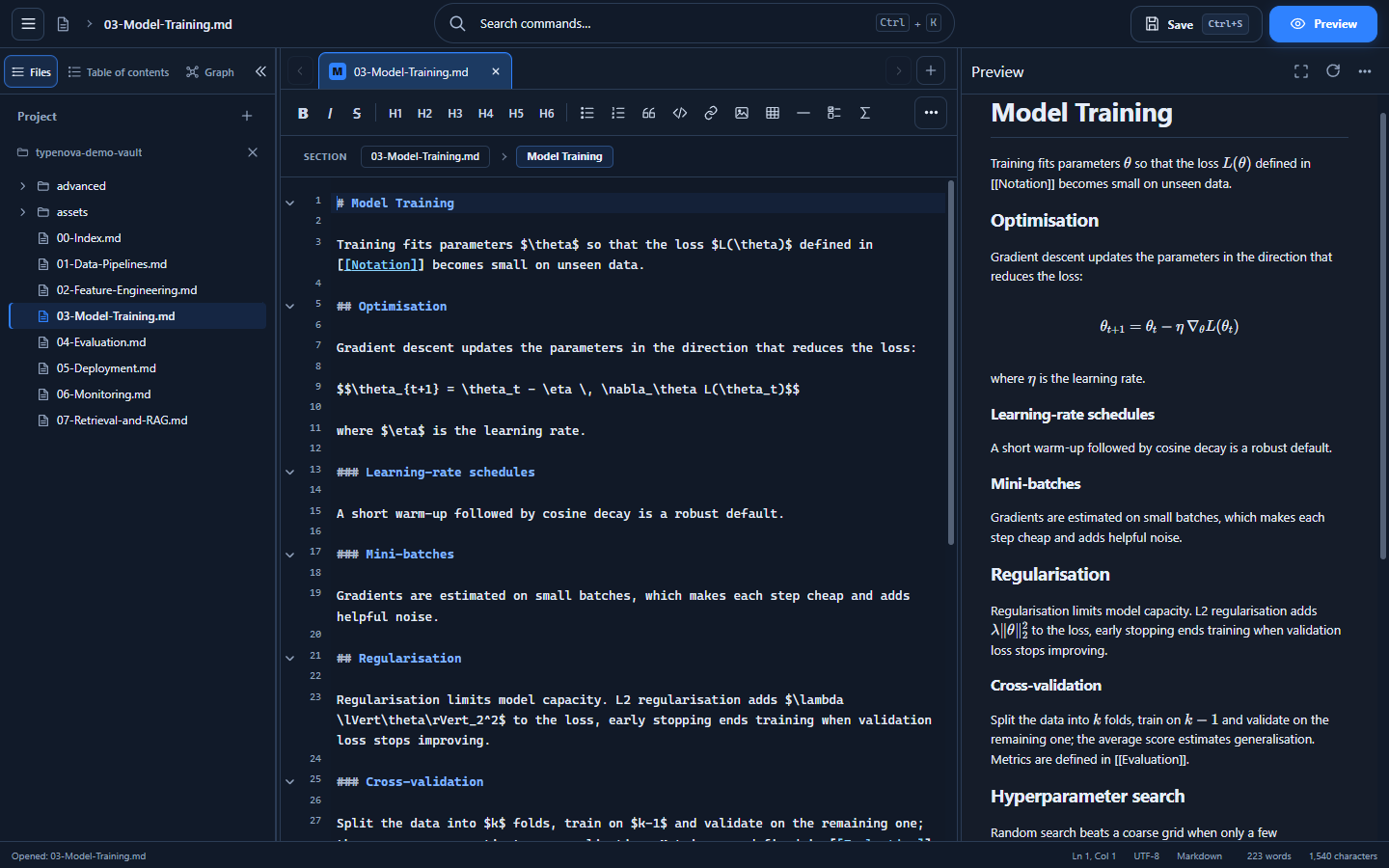
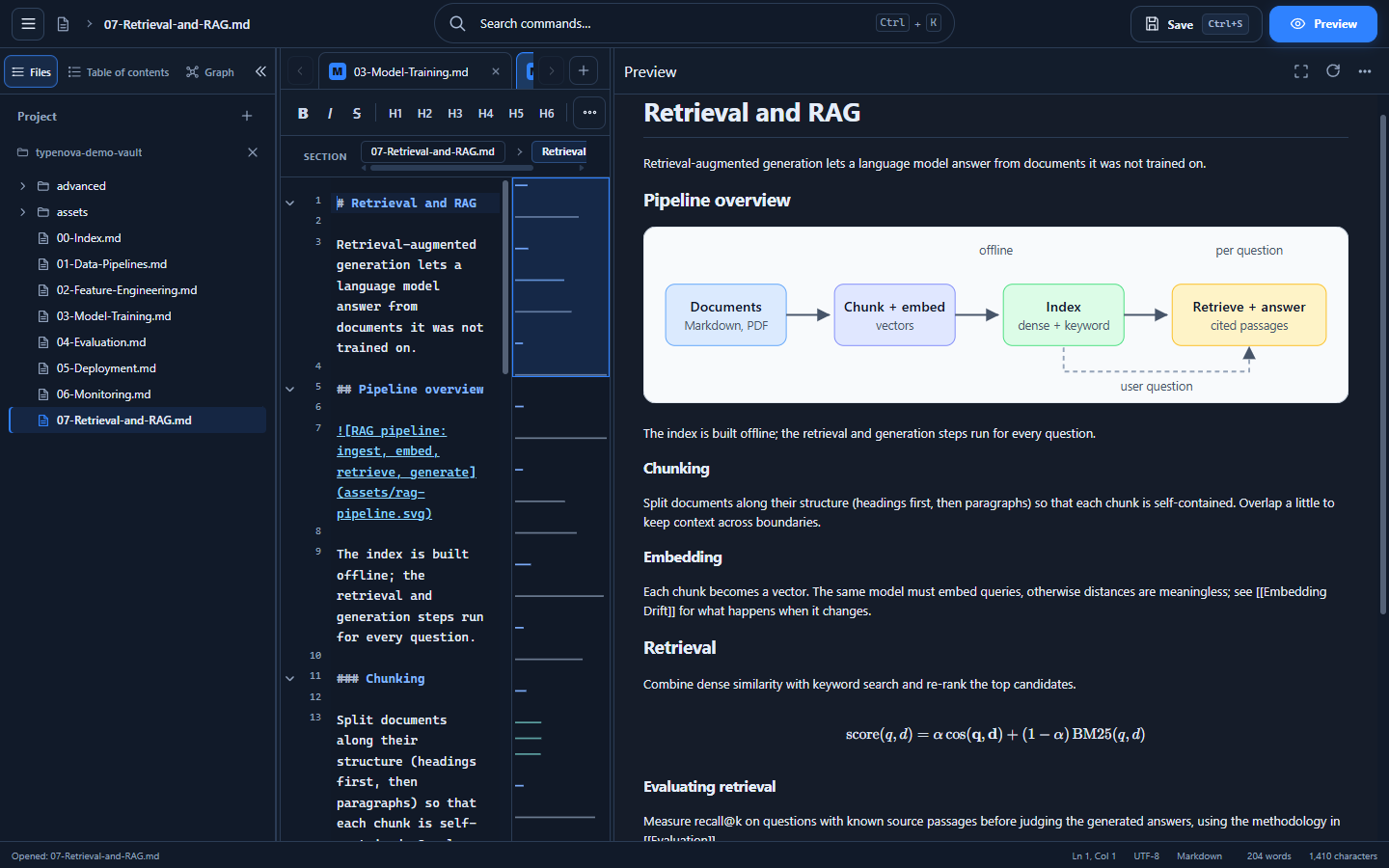
- Editor and live preview. A CodeMirror 6 editor with a formatting toolbar, a section breadcrumb, a minimap and a side-by-side preview that renders Markdown, LaTeX math, Mermaid diagrams and syntax-highlighted code blocks.
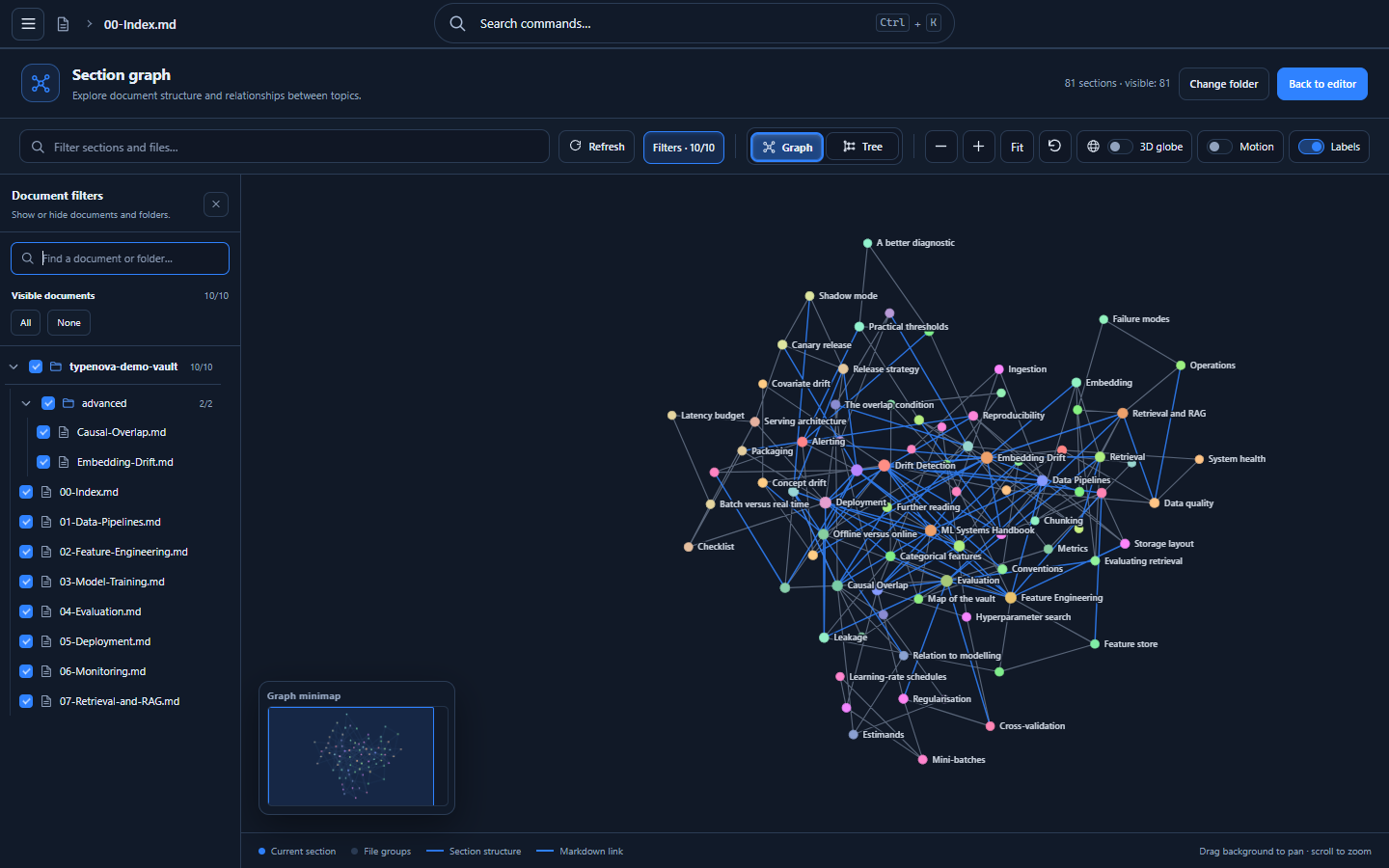
- Section graph. Every heading is a node, connected to its parent, children and siblings, plus any
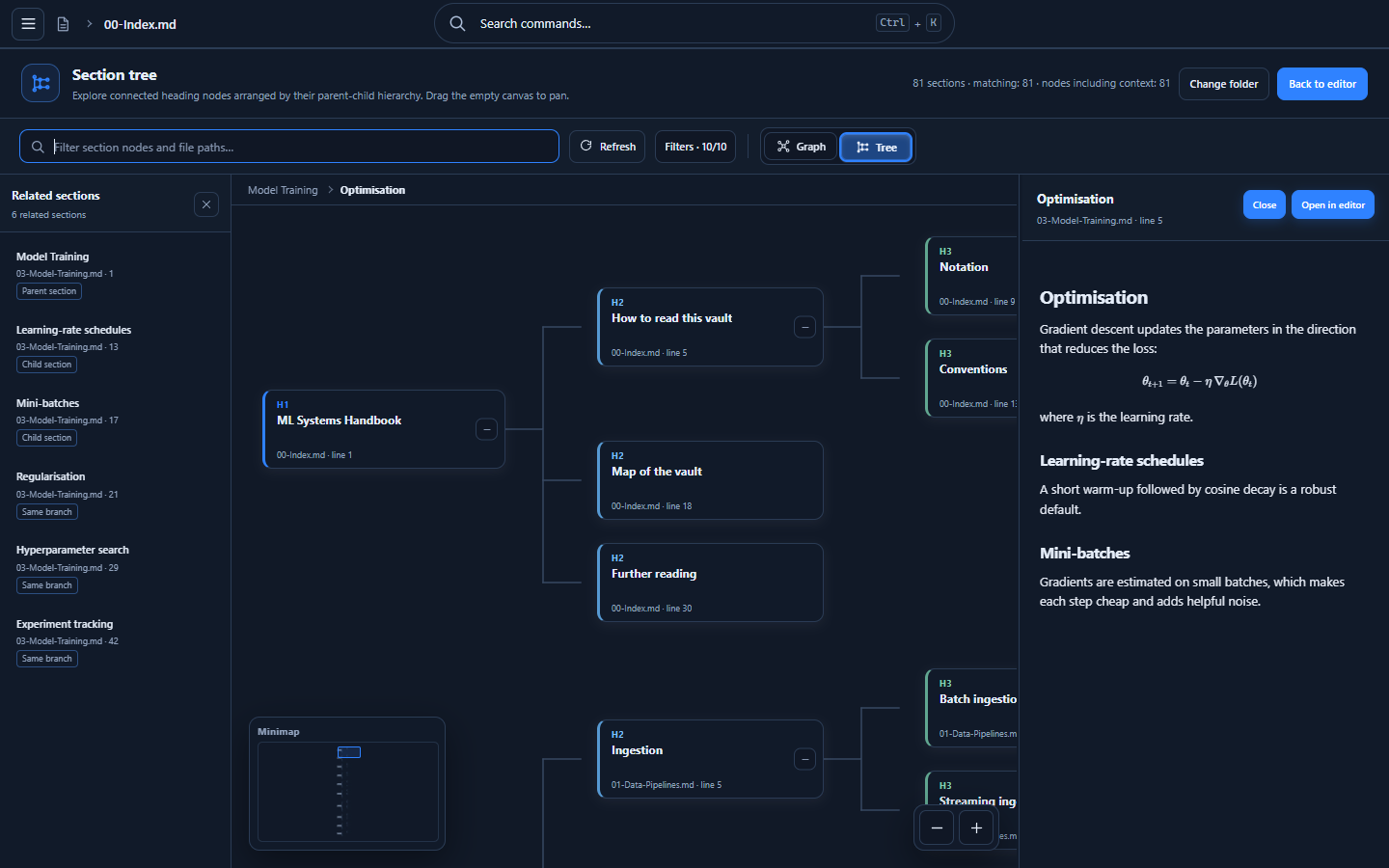
[[Section name]]links between sections. Documents are only a grouping, not the unit of the graph. - Three ways to look at it. A flat canvas for the whole picture, a tree for the hierarchy, and a 3D globe for large vaults.
- Read without leaving the graph. Select a node to see its section rendered in a side panel, see related sections, and jump to the exact heading in the editor.
- Filters and search. Filter by text, or show and hide whole files and folders to focus on part of a project.
- Project explorer that mirrors the folder on disk, loads directories lazily and works with local images referenced from your notes.
- Command palette (
Ctrl+K), themes and a fully localized interface in English and Polish.
The section graph in practice
A section starts at a heading and runs until the next heading of the same or a higher level. A ## Setup section therefore owns its ### Requirements and ### Build subsections, while each subsection keeps its own content boundary.
Because the graph is derived directly from the files, it needs no embeddings, no vector database and no network connection. Your Markdown files are the only source of truth.
Under the hood
TypeNova is a Tauri 2 application written in TypeScript and bundled with Vite. The Rust side is deliberately small: filesystem access, dialogs and a narrowly scoped asset protocol. Everything else runs in the web view.
- Composition root.
main.tsonly wires modules together in an explicit boot sequence. Features live in focused modules for the editor, documents, preview, outline, layout, project tree and graph UI. - Workers for heavy lifting. Markdown, KaTeX and Mermaid rendering run in web workers so a large document does not block typing.
- Three renderers, one model. The graph model is shared by a canvas renderer, an SVG tree and a 3D globe, so a new view does not mean a new data pipeline.
- Safe by default. A strict Content Security Policy, a narrow asset scope and per-file grants for local images. File content is treated as data and never executed.
- Guarded structure. Tests check that the module layout and function sizes do not regress, and that security-relevant configuration keeps its intended shape.
Getting started
You need Node.js and the Tauri prerequisites for your platform.
git clone https://github.com/vix95/typenova.git
cd typenova
npm install
npm run tauri:dev
Use npm run tauri:build to produce a Windows installer, or download a ready build from the releases page. The repository also contains a small demo vault in examples/demo-vault: open that folder in TypeNova to explore the graph on realistic, interlinked notes straight away.
Principles
- Markdown remains the source of truth, and every index can be rebuilt from your files.
- Exploring a graph must never make the editor unresponsive.
- Core features stay useful without a model or a network connection.
License and contributing
TypeNova is released under the MIT License. Bug reports, ideas and pull requests are welcome in the GitHub repository.